
Your brand is what you make it. Your reputation is what makes you. There’s a small difference in wording but a big difference in overview. Brand may get you the initial success; reputation is what keeps it going.
Insights
The Ego Has Landed (Or Has It?)
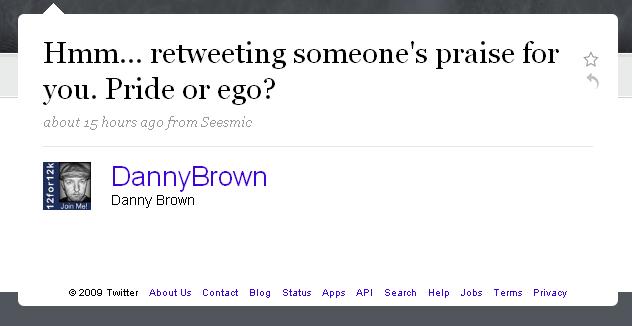
Last night on Twitter, I saw a pretty high-profile user retweet a message he’d received from one of his connections. It was high praise about this person, and was retweeted verbatim with no changes to the text.
My initial reaction to that was to ask the following question to the Twittersphere:
The responses came in thick and fast and they opened up a great stream of conversation for the next hour at least, with aspects to all sides of the original question.

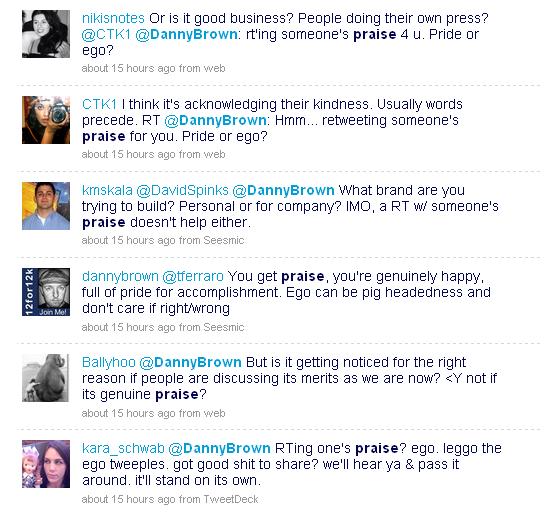
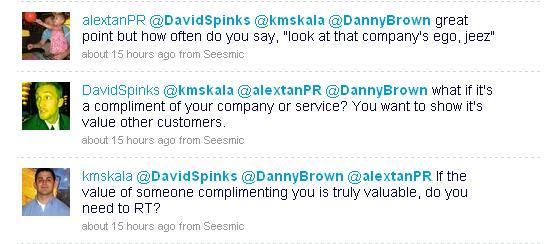
David Spinks and Alex Tan opened up a great conversation around the question which you can read more of here.
From my own point of view, when I asked the question I was of the mindset that it leaned more toward ego as opposed to pride (or excitement at receiving praise). Did you really need to retweet the praise – couldn’t you just say thanks to the person who offered the praise?
But is that view right? Is it any different from having a testimonial page on a website, or asking for references for your LinkedIn account? Does the public conversation aspect of Twitter make it less “respectable” to promote your praise than a static site?
Someone mentioned that it’s like being at a cocktail party – you wouldn’t suddenly announce how great you are. Or would you?
So… is it ego, or is it pride? Is it being genuinely pleased or just being a pimp? Would you retweet praise verbatim about you? Over to you – the mic is yours.
When Social Network Security Can’t Protect You

 Justin Michael is like many online users. He has a Twitter account and a Facebook account, as well as his own website.
He’s passionate about new technology and social media/networking and what it can do for you, personally and professionally.
Justin is also running for Mayor of Santa Barbara in the upcoming November 3 election. He’s using these social tools – Facebook especially – to help spread his political message, as well as his philanthropical one (Justin’s campaign message is “Humanitarian first, politician second”).
It seems a natural thing to do, when you see how much social media and online networks helped the Obama presidential campaign.
And it would be – if Justin wasn’t the victim of a cyber criminal who has stolen his identity on Facebook. Not just the fake account “fun” that Twitter suffers from – Justin’s legitimate Facebook account has been closed due to the actions of the cyber criminal.
Here are just some of the events so far:
- Justin’s original Facebook profile cloned.
- Account starts sending weird spam to friends and supporters.
- Account starts to get flagged by cyber criminal so people believe real Justin is impostor.
- Legitimate Facebook account deleted.
- Spam attacks start on Justin’s Facebook political page.
- Calls Facebook Palo Alto office and is advised to speak to cyber crimes division.
- Files police report.
Justin’s tried talking to the person behind these attacks. The responses from the fake Justin Michael account show that the hacker isn’t too bothered about the legal ramifications. He’ll simply keep changing IP addresses each time the one he’s using is tracked.
The reasons behind the attacks aren’t clear. Justin suspects who the cyber criminal is. Maybe it’s politically charged? In one of the message exchanges on Facebook, Justin is advised that if he removes his Internet presence (MySpace, Twitter, Facebook) and reverts to traditional campaigning, his harasser will remove the fake accounts.
Whatever the reasoning, it’s another sad example of how vulnerable our identities are on social networks. It’s too easy to set up an account and impersonate a person or business. All that’s needed is a basic email account and some knowledge of the person or brand involved.
Sure, there are ways that you can protect yourself – brand monitoring, alerts and observant friends and colleagues being just some of the methods. But these will only alert you after the event. By then, the damage can be irreparable.
What about the social networks in question? Can they be more stringent in their account activation process? Possibly. But how do you know the initial account isn’t fake to begin with? And that you’re subsequently blocking the real person or brand from coming on to your network to try and limit damage control?
Sadly, there doesn’t seem to be any immediate and easy answers. For social networks. For cyber crime. For people like Justin Michael. For you, for me.
Social networking is the ultimate connection platform. The question is, are people connecting with you or someone else?
- Note: With the political background and November dateline in mind, I asked Justin if this was simply a clever PR stunt to raise awareness for his campaign. He swears it is not.
- Update July 18 – Following Katie’s comment below, this blog piece may offer some insight into reasons behind the Facebook fake account(s).
Building Forts
Forts were built for a reason – to keep invaders out. Yet if the invaders came with numbers prepared for a siege, forts also left you trapped inside, unable to make your escape until you either surrendered or died from starvation.
When you’re building your business, you may be looking at your growing empire as your own personal fort, keeping you safe from competitors. Just make sure you don’t get barricaded in and trapped from innovation by being too protected from your competitors.
Innovation comes from awareness. Awareness comes from seeing what’s going on around you. Can you see past the walls of your fort?
Seesmic Web Ups Ante for Twitter Management Tools
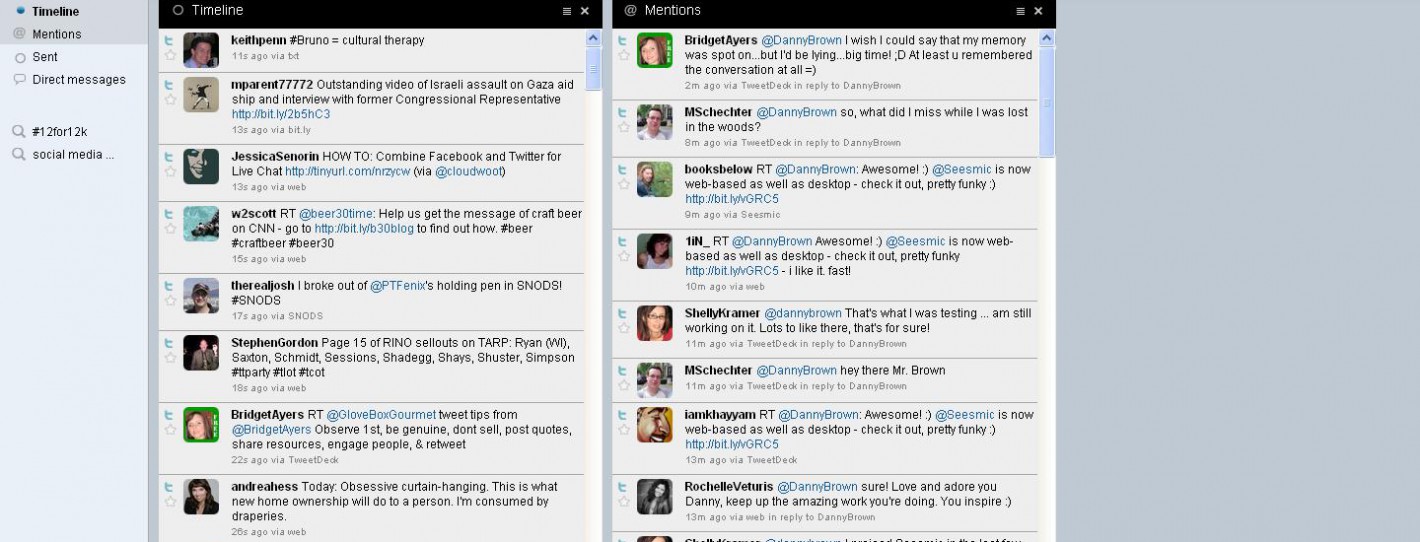
Seesmic have just released the preview version of Seesmic Web for Twitter. A web-based version of their hugely popular Seesmic Desktop desktop app, Seesmic Web also has some pretty cool new features not found on the desktop version.
The first (and really useful) difference is the threaded conversation option for direct messages. Now you don’t have to worry about trying to remember what you said to someone previously – it’s all there for you.
The next option is a rollover view of a particular user’s basic Twitter stats (followers/following). You can expand on this by clicking on the Profile tab and get the full bio details.

Some of the other features include:
- Single column mode (ideal for web users of the Twitter service for whom multi-columns on Seesmic Desktop and Tweetdeck are hard to manage).
- Search option where all your searches will also be saved to your main Twitter account.
- Unlimited columns, all with the ability to minimize window.
- Access from any computer.
Anyone that follows me on Twitter knows I’m a huge advocate for Seesmic Desktop. I like?Tweetdeck , but I just find Seesmic more suited to my use.
With the preview launch of their web-based version, Seesmic are making Twitter management easier again and I can see this being really popular with all levels of users.
While it’s currently missing some desktop features (the most obvious two being the Group option and Block User), it solves the memory suck issue of most desktop apps in one step – ?a major bonus. And as it’s in preview mode, these features may yet be added.
What do you think? Nice move by Seesmic or not enough to take you away from your current desktop application? Will Seesmic Web offer current Twitter web users a good alternative and introduction to management tools? Can you see yourself using it?
- Update: John Haydon made a really cool video on blip.tv on how to use Seesmic Web. I’ve embedded it below as it’s a nice overview of some of Seesmic Web’s features.