• Skip to primary navigation
  • Skip to main content
Danny Brown

Danny Brown

podcaster - author - creator

  • About
  • Podcasts
  • Journal

Archives for 2010

The Five Unwritten Rules of Guest Posting on Blogs

If you’re a blogger, you may have been asked to write a guest post by another blogger.?Or, you might have offered a guest post yourself to a blogger you admire.

Either way, writing a guest post opens you up to a whole new audience and can increase your own readership into the bargain.

Blog readers that may never have heard of you otherwise now have their eyes on you.

Add to that the credence that comes with someone else thinking enough of you to have you on their blog, and a guest post is a pretty big thing.

So it’s only fair that you follow the five unwritten rules when it comes to guest posting on other blogs.

Make It Great

This should pretty much go without saying, but the amount of guest posts I’ve read where you can see the author has basically just mailed it in is both surprising and disappointing.

If someone has taken the time to give you real estate on their blog and put you in front of their audience, the very least you can do is make sure that the post you provide is top notch. Before you send the post, ask yourself the following questions:

  • Would I be happy posting this on my own blog?
  • Is this the best this post can possibly be on this topic?
  • Am I being relevant to the audience of the blog I’m posting on?

Unless you can answer yes to at least two of these questions (the relevance factor may not come into play if the blog owner wants to mix things up a bit), then your guest post isn’t ready.

Research

What’s your guest post going to be about? Did you make the suggestion of the post, or did the blog owner ask you to guest? Either way, one thing you need to make sure of is that you do your research.

This could be of the blog’s archives, to get a feel for the topics that normally appear there. More than likely it’s going to be about the topic you’re writing about. Names, places, facts, statistics, references – all these and more need to be checked before you submit your post.

Let’s face it, you wouldn’t write a load of bull on your own blog, would you? So why even think about doing it to another blogger? Quote your sources and link to external references and sites and make sure the blogger you’re writing for doesn’t end up looking an ass as he or she tries to cover your mistakes in the comments.

This might seem a harsh view, but think of it as if it was your blog. Get the facts right; get the blog right.

Format

While content is often quoted as king when it comes to blog posts, the look and feel of a post can go a long way toward its readability. You can have the greatest blog post in the world, but if it looks like crap then readers will be put off from the start.

When you guest post for someone, provide the format you want it to appear in. Think of how you’d want it to appear on your blog, and then make sure you provide that information with the post itself:

  • Header(s) and sub-header(s).
  • Bullets or numbers.
  • Hyperlinks to external sources or sites.
  • Images with accreditation to the source.
  • Author bio.

If you’re unsure on the formatting side, take a look at the blog you’re going to guest on and go with the formatting that blogger uses. Or, simply ask them.

Don’t Be Self-Serving

Okay, so we know that guest posting on another blog offers you new eyeballs and therefore potentially new readers of your own blog. After all, if the readers of the blog you’re guesting on like what you have to say, it’s a pretty safe bet they’ll check out more of your own stuff too.

So why ruin that by pimping yourself shamelessly throughout your guest post?

If you’re using resources and links to external articles to back up your guest post, don’t make all the links to older posts on your own blog. You (probably) don’t do that on your own posts – instead, you highlight other great content and thoughts elsewhere (or at least should be). So why should that be any different on your guest post??Having great content is one thing, but linking to no-one but yourself is just a lesson in narcissism. And you can be sure the readers of the blog you’re appearing at will notice that too.

By all means, link to a post of yours you think might be relevant – but let the readers find out for themselves how great your other stuff is too. Because if you write a great guest post and it’s not self-serving, you can be sure folks will check your stuff out as soon as they’ve finished reading your guest post.

Remember to Visit

When you write a guest post, where do you stop? Is it the moment you finish typing and hit the Send tab on your email, or is it a quick visit to see how popular your post was?

Or are you a blogger who genuinely cares, so you’ll follow up your guest post much like you’d follow up a post on your own blog? After all, it’s still your name on the post, so why should you act any differently just because it’s not on your own blog?

  • Respond to comments made by the readers of the blog you’re guesting on.
  • Promote via social networks, much the same as you’d promote your own stuff.
  • Connect with commenters online and continue to build the relationship started on your guest post.
  • Write a post on your own blog, expanding the discussion started in your guest post and link to it, offering more traffic to the blogger who’s giving you real estate space.

While you don’t have to follow these unwritten rules when guest posting on another blog, they help you stand out as someone who actually gives a damn.

After all, if you can’t be bothered to offer anything but your best when taking over another blogger’s baby, should you even bother at all?

How about you – what would you add as an unwritten rule when guest blogging?
Posterous Grows Up as a Blogging Platform

Posterous blog platform

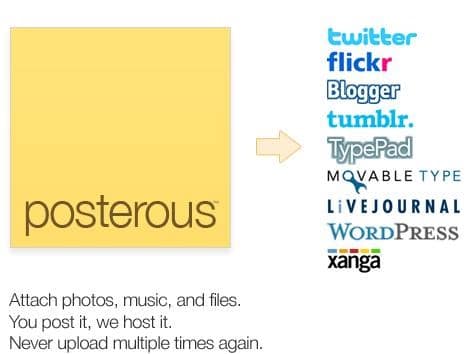
Posterous blog platformI’ve loved the idea of Posterous from the start.

As a quick-start blogging platform, Posterous offers a pretty robust platform to build your blogging expertise from.

One of the biggest things that puts many folks off from starting a blog is often the time commitment needed.?Yet with the ability to post via email, Posterous allowed anyone to experiment.

I’ve introduced a few clients to blogging via Posterous, and it’s given them the confidence to swap to “full-on” blogging via WordPress and self-hosting.

And I have a Posterous account that I use for short-form blog posts. Ideas, basically, that I might expand into longer thoughts here. So, yeah, I’m a fan of Posterous.

Yet for all the good stuff that Posterous offers, it’s always been a lightweight version of blogging (at least to these eyes). No search engine optimization offerings, no real ownership, and none of the ability to expand your blog the same way you can with a dedicated one (pages, for example, and sidebars/toolbars).

Until now.

Posterous Grows Up with Pages

A new feature just announced by Posterous sees the platform become a more bona-fide alternative to full-on blogging. With the addition of Pages, you can now have a pretty cool little online hub to build your brand, business or services from.

Previous to this addition, all you had on your Posterous blog was your posts and any sidebar that came with the theme you chose (Posterous has about a dozen or so pre-built templates for you to choose from). While this is ideal for a simple blog, it doesn’t really offer much in the way of additional information (About, Services, Contact, etc) that you see on more “traditional” blog platforms.

Pages now allows this, and a little bit more.

Now you can have a dedicated About Page with Posterous, where you can expand on who you are and what you do/offer. You can also offer a Contact Page, a Services Page – heck, anything you want to add, you can. And setting it up couldn’t be simpler – just add the new page from your admin area, fill out the content and hit Publish. You can even drag-and-drop the navigation to rearrange where the page sits on your nav bar.

The other cool feature that Pages allows you to do is redirect that page. Let’s say you want to use Posterous as a simple outlet, and your main site is an e-commerce one elsewhere. You can set up a page called Store, for example, and use the redirect function to open up your full-on e-commerce store.

On my Posterous account, I’ve used the new Pages redirect feature to direct folks to my Contact Page here, as well as my accounts at Twitter, Facebook and LinkedIn.

This feature alone puts Posterous above many premium WordPress themes – although the Headway theme (affiliate link) I use on this blog has this ability – and suddenly turns the platform into a more fleshed-out option for bloggers.

Does Posterous Replace Dedicated Blogging?

Having said that, Posterous still doesn’t beat a full-on self-hosted WordPress blog just yet.

There’s still no dedicated SEO options (although you can tag your post with keywords). Nor are there options for plug-ins that a WordPress blog offers, which can really turn a blog into a free-standing social hub. And obviously, as a free platform, you’re still restricted by the terms and conditions of using Posterous.

But then again, that’s probably not the audience that Posterous is after. The platform offers a quick and easy introduction to blogging, and with the addition of Pages, allows even the most inexperienced of bloggers a great starting point.

And that’s all that matters at the end of the day, no?

Note: This blog no longer runs on the Headway framework. Instead, it’s a custom WordPress design by Lisa Kalandjian of SceneStealer Graphics.

How Social Media Shaped 2009 – A Doodler’s Perspective

With the amount of year-end overviews that appeared at the end of last year, it’s not surprising that some really cool ones would slip under the radar.

I found this video completely by accident, which just goes to prove that some of the best things happen that way. What I love about this video by?Rob Cottingham is the way he manages to mix the big stories with the ones that escaped media attention, yet were still big themselves within the social media space.

Once you’ve watched the video, make sure you check out more goodness at Rob’s website, Noise to Signal.

Enjoy.

Silos

According to Webster’s Dictionary, the meaning of the word silo is a trench or pit used to exclude air, or an underground structure.

So, by definition, a silo is something that chokes the life out of you, or keeps you hidden from view.

So why do so many businesses continue to silo their people from each other?

?

7 Ways to Market Your Business on Facebook – Free Ebook

Free Market Your Business with Facebook ebook from Danny Brown

Free Market Your Business with Facebook ebook from Danny BrownWith over 400 million active users, Facebook continues to be a great marketing platform for your business.

It doesn’t matter if you’re a small-to-medium business or a large conglomerate – Facebook should definitely be in your marketing arsenal.

To help you find some of the ways you can start to use Facebook to market your business, I’ve put together a free 33-page ebook that looks at some of the ways you can utilize Facebook for your business needs.

Looking at Pages, Ads, Search, Apps, Insights, Groups and Facebook Marketing Solutions, 7 Ways to Market Your Business on Facebook is meant as a quick reference guide or jumping-off point. How you use the information (and some of the case studies and examples within) will be determined by your needs and manpower/bandwidth.

Here’s the thing, though. As I wrote recently, I’m looking to offer platform-specific content as a way to offer value to connections on their preferred platform of choice, whether it’s this blog, Twitter, LinkedIn or, as in this case, Facebook.

So, you can only access the ebook via my Facebook Page. Since the content is Facebook-specific, I thought it’d be a nice way to connect the platform and users. It’s also a social experiment – I’m curious as to how platform-specific content sharing will be viewed.

Therefore, if you do download and wish to share via Twitter, email, etc, I’d be really grateful if you directed folks you may think would enjoy the ebook to the same download method as you had. I can’t make you, obviously, and I don’t want to be seen as a mean uncle, but it’d be really interesting to see how a Facebook-only share compares to a blog-wide share. Sound fair?

Anyhoo… if you’d like to check out the free 7 Ways to Market Your Business on Facebook ebook, head on over to my Facebook Page and click on the Free Ebook tab. If you’re already a “Liker”, you’ll see the download link. If not… well, there’s a little bit of black magic you need to go through first…

Hope you enjoy, and would love to know your feedback on both the ebook and the platform-specific content sharing approach. Cheers!

  • Update February 2013: My Facebook Page set-up has changed since the original publication date of this post. If you’re looking for the ebook, click this link to download – cheers!
  • « Go to Previous Page
  • Page 1
  • Interim pages omitted …
  • Page 26
  • Page 27
  • Page 28
  • Page 29
  • Page 30
  • Interim pages omitted …
  • Page 43
  • Go to Next Page »
© 2026 Danny Brown - Made with ♥ on Genesis