• Skip to primary navigation
  • Skip to main content
Danny Brown

Danny Brown

podcaster - author - creator

  • About
  • Podcasts
  • Journal

Archives for February 2009

The Twitter Rulebook

Lebowskiwarming!There’s a lot of talk on Twitter as to how it should be used – Twitter rules and etiquette, if you like. Some of the talk stems from suggestions of how individuals use their accounts and how it might benefit you.

Other talk comes from people who say, “You should do this and you shouldn’t do that.”

But you know what? Unless anything you do falls within Twitter’s own Terms of Service, then there are no rules on using Twitter. So, here’s the thing:

  • If you want to promote your application to get more followers, do it. Just don’t be upset if people don’t agree with it (many will).
  • If you want to use it for nothing more than broadcasting blog posts, sales offers, etc, do it.
  • If you want to use it as a networking tool to meet potential new business partners, do it.
  • If you want to use it as a place for your cat to talk to the world, do it.

In fact, whatever you want to do with Twitter, do it. After all, it’s your account and no-one else’s. The way you use Twitter, people will either like it or they won’t – it’s an even 50/50 split to start with, so go for it.

If I don’t follow you, it’s for a reason – don’t get upset. I’m not that important and I probably wouldn’t have been a good match for you anyway, so you’re not missing out. If you don’t follow me, I understand. Hey, we’re all different people – it’d be boring if we were all the same.

So use Twitter the way you want to use it. There are millions of people that will either get you or not. Enjoy it. And maybe I’ll see you on there sometime.

Cheers.

Creative Commons License photo credit: vissago

Who’s Your Audience?

If you’re a blogger, who do you write for? Is it for you or your audience? Or a little bit of both?

In a recent post I mentioned one of the blogging analytics tools I use is Quantcast. I like it because it gives me a really good insight into the type of readers I attract, both regular and casual. It has a breakdown of demographics, gender, ethnicity and more.

To give you an example, here are some figures about this blog:

The above chart shows that I have more visitors from the US than anywhere else – which isn’t too surprising considering my location. Combine that with Alexa figures, and I see that my global audience is led by Canada, the UK, India, Australia and Sweden. Quite the mix.

With the information above, I can see how that traffic breaks down (100 index is Internet average). Now I can see that my main audience is made up of middle-aged males of mixed ethnicity, grad-school educated and in both the lower and higher income bracket. So, a little bit of me in there with my readers.

This final chart shows that the majority of visitors to my blog are new, with 16% being regulars. Which, when you break down the traffic over either a weekly or monthly period, pretty much ties in to the subscriber numbers at the top of the blog.

So what does this information offer other than some pretty pictures and figures and why should you care? Simple.

  • If you’re writing a niche blog you can see if you’re reaching the right audience.
  • If you’re in business and have a corporate blog, you can see where your customer base is coming from (or where it could be coming from).
  • If you’re running a PR or marketing campaign for a client, you can gain valuable information about what type of person is attracted to that brand’s blog. This will help you to either strengthen or adapt that campaign.

Far from being just a simple look at who’s reading your blog, you’re suddenly seeing how the world in general is looking at you.

Isn’t that information worth having?

If you enjoyed this post, please consider leaving a comment and subscribe to my RSS feed or via email to ensure you can enjoy the latest post(s).

Reblog this post [with Zemanta]

Picture Perfect (Or The Power Of The Avatar)

I CAN HAS SPACENAVIGATOR?There’s a saying that a picture paints a thousand words – but can it also create a thousand questions?

For anyone that’s connected to me on Twitter or Facebook, you’ll have probably noticed that my profile avatar for both sites is blacked out.

Far from being the results of a broken browser, it’s blacked out for a reason (the basic gist is a week-long protest at planned Internet laws in New Zealand). It’s led to questions why it’s blacked out, which has led to more knowledge about the cause it’s in support of – so, that’s good, right?

Not necessarily, it would seem.

One of the reactions my avatar received today was the suggestion of a principle-based unfollow on Twitter because my face wasn’t on show. Ari Herzog, someone I have shared numerous great conversations with, mentioned that I wasn’t being transparent or authentic. My avatar being black meant I was hiding. Does an avatar say all that?

One look at my Twitter profile shows you all the main information you need to know. Name, company, what I do, contact details, blog, website – basically the works. So that should cover the transparency angle. As far as authenticity goes, I’d hope that this would be down to people’s opinions through their interactions with me, rather than an avatar.

But maybe I’m wrong. Maybe the real power is in the avatar? Certainly, my blacked out one has raised many questions so people obviously notice any changes. So what’s your take?

Is the power in the picture, or the words behind the picture?

Creative Commons License photo credit: Torley

How Social Media Can Help Save Lives

arik-hansonThis is a guest post from communications professional Arik Hanson.
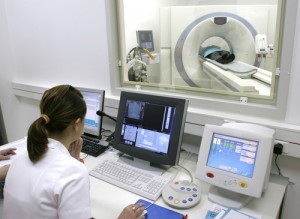
I’ve come to respect and know Arik pretty well over the last couple of months and I was curious how his work in the health-care sector could benefit from social media. Here Arik kindly obliges with his views.

When you work in PR in most industries, you go home at the end of the day and wonder, ?How did I make a difference today??

The answer, unfortunately, most often is you helped sell more widgets. Or, you helped the stock price go up just a bit (not lately, obviously). Or, you helped shape public perception or attitudes around an important issue or problem.

Very rarely, do you get to say, ?I helped save a life.?

But in the health care industry, you have the opportunity to do just that. OK, usually, it?s not a direct correlation and you don?t actually ?save lives?, but the point is you work for an organization that makes a huge difference?each and every single day.

You work with physicians, nurses and other patient care staff that DO save lives?and our work as PR professionals is to support them, help them tell their stories and assist them in communicating more effectively with their key stakeholders. In my book, that means I play a part in saving lives (even if it is a small one).

Now, that?s a big deal. I think most in the health care industry take that pretty damn seriously. And most days, I think we feel like we?re doing a pretty good job. But, here?s the thing: we could be doing so much more.

We could be doing more to connect with and educate our patients.

We could be doing more to share the tremendous stories that originate from within our hospitals and clinics.

And we could be doing more to help our patients with their basic health care needs and questions they have before, during and after they visit our facilities.

thinkpanamahealthcareHere?s an idea. What if we changed the model using social media and online tools?

What if, to complement our existing health care model, we used these tools to help us develop a completely new model of care?

One that would not only be more convenient and potentially more effective than the care models of today?it might actually cost less.

That?s right, by using some of these tools, I?m convinced we can create a model that will allow us to provide quality health care outcomes for our patients at less cost. Sound crazy? Hear me out:

  • What if you had online access to a cadre of physicians that you could ask questions of for basic needs? You could connect with these docs online via instant messaging or video (Skype calls, perhaps?) and get practical, real-time advice on your immediate health care concerns and issues. I broke my pinkie in December?how great would it have been to connect with a doc in real-time on my Mac, show him my pinkie via Web cam and get some quick advice on a best course of action? Now, that?s meeting my needs and being patient-centered.
  • What if clinics and hospitals responded to patient questions and concerns in a different way online in real time? Twitter might be a good solution. Couldn?t health care organizations use Twitter the same way Comcast and others use it to address patient concerns before they escalate and start to affect their perceptions and attitudes of your hospital or clinic? The tool could even be used to direct patients to the more appropriate facilities for care?for example, instead of visiting the ER for that sore throat, you could visit your neighborhood clinic for a quick throat culture (you might be surprised what some folks use the ER for these days).

facebook-logo

  • What if health care organizations used sites like Facebook and blogs to enable patients to share their stories with the thousands of others who may be about to undergo that painful procedure or may have critical concerns about their cancer diagnosis? Wouldn?t that be helpful?and comforting?to patients and drive stronger brand awareness and loyalty to your particular hospital or clinic? (Just ask Lee Aase at Mayo Clinic).
  • What if clinics created a completely new model for care where patients, instead of coming to a brick-and-mortar facility, visited with their physician in a virtual world (think Second Life five years from now)? Once these virtual world tools evolve and advance (and I believe they will), this will open up a whole different opportunity for clinics. Again, health care costs should go down?after all, it must be more cost-effective to visit a virtual clinic than one that?s paying utilities, leasing space and maintaining the facility, right? And, it would be conceivable to think patient satisfaction scores would skyrocket because patients could visit with their doctor from the comfort of their own home instead of trudging out into the cold and battling traffic.

We might be a few years away from this scenario, but it has the opportunity to completely transform the way physicians deliver care–and the way patients receive it.

Clearly, we?re at a crossroads with health care. Patients are demanding more, while hospitals are cutting budgets, asking staff to work longer hours and take on additional duties all while public scrutiny increases. We need to start making changes?radical, transformational changes. We can no longer settle for the status quo or incremental change. Now is our opportunity to act.

What other opportunities do you see us having to change the current health care model with the plethora of new online tools available to us?

Disclaimer: I work for Fairview Health Services, the second largest health care organization in Minnesota. The views and opinions in this post in no way reflect the thoughts, opinions or policies or Fairview Health Services.

  • Arik Hanson is a savvy communications professional focusing on issues in internal communications, marketing communications, public relations and social media. He currently works for the second-largest health care system in Minnesota. He also has a part-time consulting business, ACH Communications. You can read more at his blog or connect with Arik on Twitter.

Creative Commons License photo credit: ThinkPanama

10 Ways to Boost Your Blogging

Moo cards for blogging workshop

As a communication and community-building tool, blogging is up there with Twitter as a key social media platform. A place to both offer and share opinions as well as a view at the person behind an online persona, a blog is more than just a personal or business journal – it’s your voice.

There are many blog platforms, tools and plug-ins around, all with various benefits. Some are better than others and depend on your own needs. Here are 10 of mine. Since it’s my platform of choice, these are mainly based around WordPress.

  1. Self-hosted blogging. While free blogging (Blogger, WordPress.com, MySpace, etc) is a great starting point, self-hosted (WordPress.org, TypePad, Squarespace) is definitely the way to go. For sheer optimization and personalization options, it’s hard to beat. Buy a domain name for about $10 and then get a web hosting package for less than $4.00 per month.
  2. Premium theme. There are some great free theme designs for WordPress, and Smashing Magazines has a list of 100 free themes. If you’re willing to pay, however, you can get a premium theme. There are some great ones from iThemes, Thesis, WooThemes and Revolution. There’s also great support for premium theme members that you don’t always get on free ones.
  3. Analytics. Knowing who your main audience is can help you tailor your blog more effectively. Of course, writing for you first should always be the aim and hopefully others will like it too. There are some great tools for monitoring your readers. Two I use are Woopra for actual traffic analytics and Quantcast for more in-depth information on demographics. And they’re both free too. Technorati is also a great way to see who’s referencing your blog.
  4. Comments. An integral part of the blogging experience is the comments section. Giving you insight into what your readers think, comments are a great relationship builder between blogger and reader. CommentLuv is a plug-in that shows your visitor’s last post and a great way to show blog link love (coming here soon). Threaded comments using IntenseDebate or Disqus are also great tools to encourage conversation and debate. Offer an option to subscribe to comments as well, so your readers can keep up with an ongoing conversation.
  5. Images. Picking images for your blog can be a pain. Finding the right ones can take time and often copyright is involved – so services like those offered by Zemanta or fotoGLIF are a major plus. Zemanta offers you a choice of Creative Commons-approved images, as well as links and a reblog option to share your post, while fotoGLIF offers more than 1 million free to use and copyright-free images. PhotoDropper also offers a great service for licensed images. (Disclosure – I’ve previously carried out some PR work for fotoGLIF).
  6. Feeds. Gaining readers is part and parcel of blogging, so making it easy for them to find and come back to your blog helps. Your blog will normally have a standard RSS feed, but offering more options will benefit you and your readers. One of the most popular is Feedburner, which allows your readers a choice of feeds or email subscription. Other options include Feedblitz, Feedstats and Feedity. Make your options visible – you’ll see mine at the top right of my blog.
  7. Navigation. Make it easy for your readers to navigate your blog. Offering something as simple as a search box lets anyone look for a certain topic. Lijit makes it even easier by not only searching your blog, but any content from your social networks on the topic as well as that of your contacts.? Use your blog sidebars to offer topic breakdowns as well, so readers can go straight to posts that interest them. The Yet Another Related Posts Plug-in shows similarly-themed posts that your readers might also enjoy.
  8. Sharing is good. The great thing about social media and networking is the selfless sharing of information. So make your blog another resource of information by offering the option for readers to share something they’ve enjoyed. Share This and Tell-a-Friend are two customizable options to share your blog on other social networks. They can help you gain new readers too.
  9. Google is your friend. While having a loyal readership is great, it’s always nice to get new visitors as well to join your existing subscribers. Make your blog easier to find by optimizing it for search engines. The All-in-One SEO pack is a great plug-in that helps you stand out with keywords and search terms. If you use the Thesis theme, this has a similar option already built in.
  10. Protect your work. While blogging is a great way to build community and friends, it’s also open to plagiarizing, with many bloggers victims of RSS thieves that post your content as their own. One way to counter this is with Better Feed. This allows you to place your copyright in your RSS? feeds and email subscriptions and ensures that any “borrowed” work will link directly back to you with your copyrighted message.

These are just some of the tools I use. As I mentioned, they are skewed heavily towards WordPress, although some will work on other blogging platforms as well. Yet as good as they are, they’re just a small window into all the great blogging options around.

What do you use for your blog? Any not on here that should be must-haves?

Creative Commons License photo credit: Mexicanwave

  • « Go to Previous Page
  • Page 1
  • Page 2
  • Page 3
  • Page 4
  • Page 5
  • Go to Next Page »
© 2026 Danny Brown - Made with ♥ on Genesis